

On this page
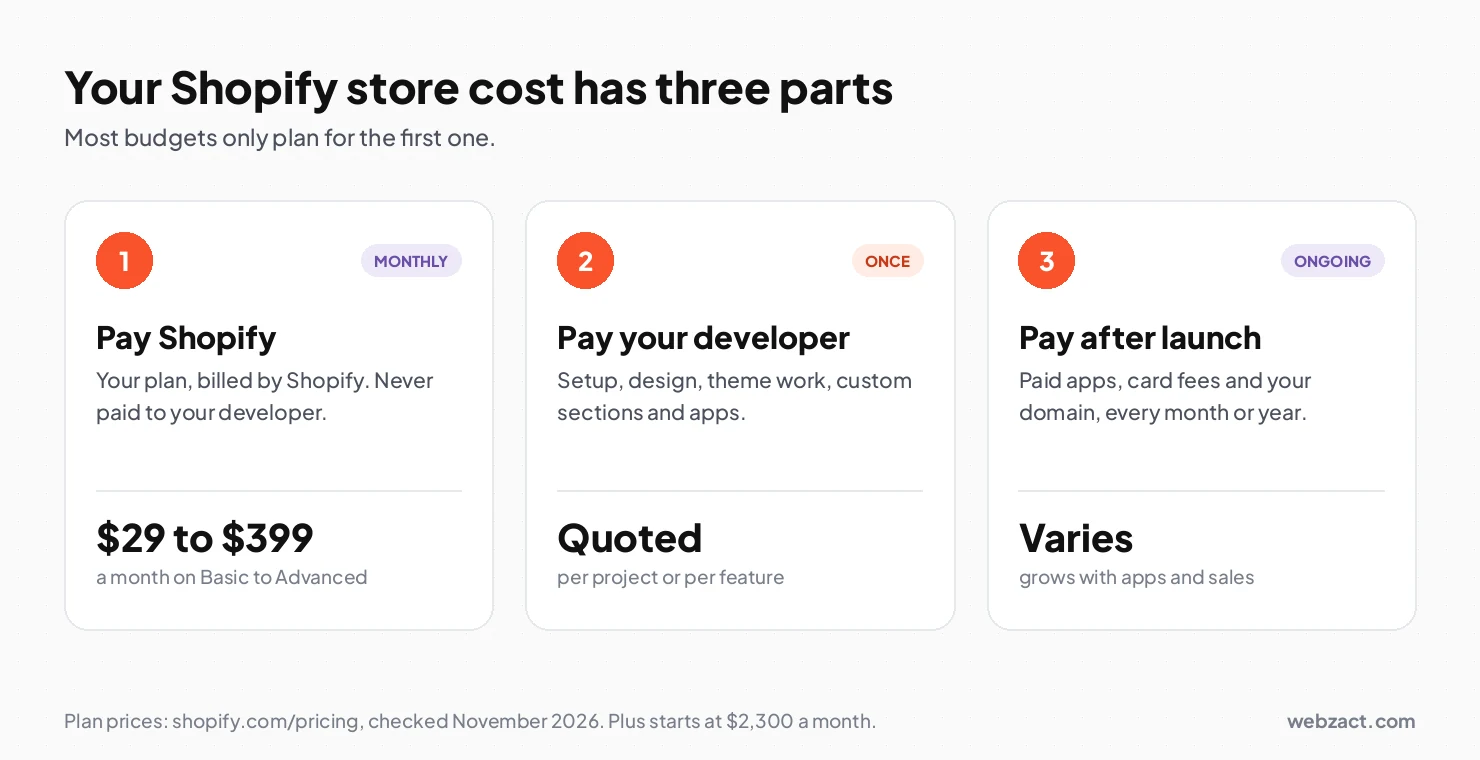
Short answer. Your Shopify store development cost has three parts: what you pay Shopify, what you pay the person who builds it, and what you pay every month after launch.
Most store owners only budget for the first part. That is why the final bill feels bigger than planned.
This guide walks through each number. Plain words, real prices, no sales pitch.
How to Work Out Your Shopify Store Development Cost
Work through these five steps and you will have a real number in about twenty minutes.
- Pick your Shopify plan first. Basic is $39 a month if you pay monthly, or $29 a month if you pay for the year. This fee goes to Shopify, never to your developer.
- Choose a ready theme or a custom build. A paid theme costs a few hundred dollars once. A custom theme costs more and takes longer. Shopify store development services usually cover both options, so ask for a price on each.
- Write down every feature you need. Size guide. Bundles. Wholesale pricing. Each line either comes free with the theme, needs a paid app, or needs custom code.
- Count your monthly costs. Add the plan, the apps and the card fees. This number repeats every month, so it matters more than the build price.
- Ask for a fixed, itemised quote. A good developer gives you a line for each item. If the quote is one big number, ask them to split it.
What Is Shopify Store Development?
Shopify store development is the work of turning a blank Shopify account into a shop that takes real orders.
That work covers products, collections, payments, shipping zones, taxes, the theme, the design, and the email notifications your buyers get. Some of it you can do yourself. Some of it needs code.
Shopify hosts the store for you. So you are not paying for servers, security or software updates. You are paying for setup, design and any feature Shopify does not give you out of the box.
What You Actually Pay For
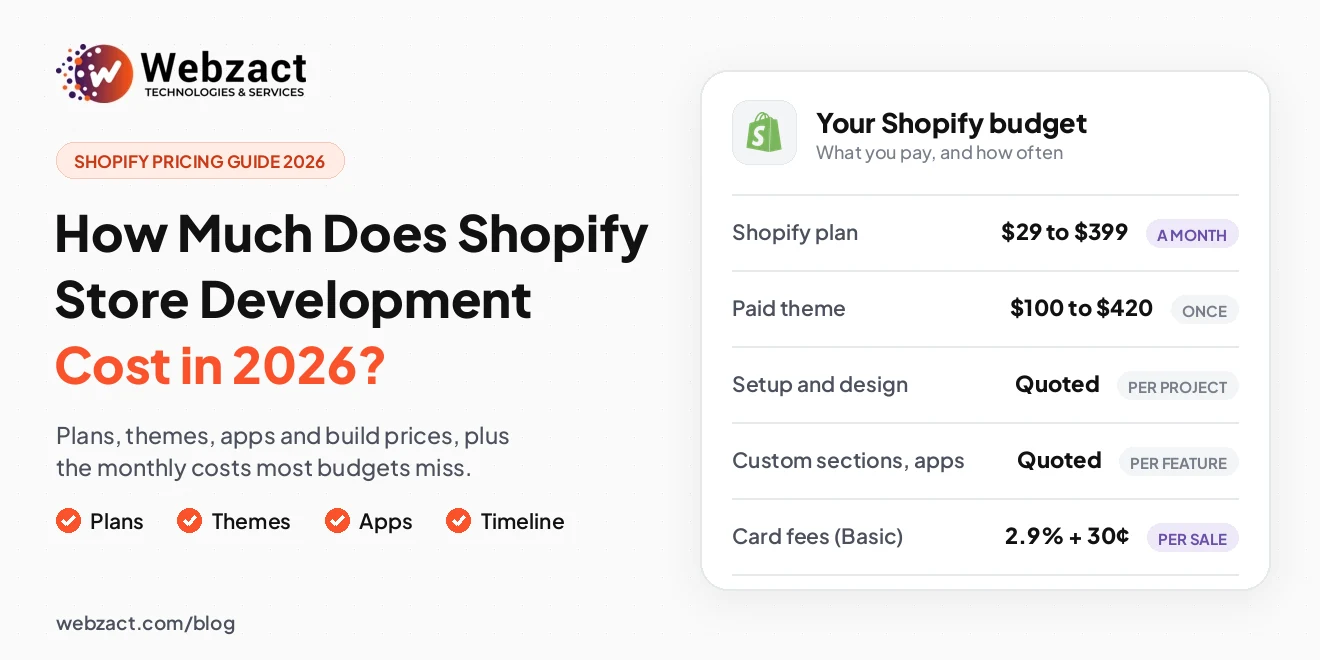
Here is every line that lands in your Shopify store development cost. Prices below are Shopify's own, checked in November 2026.
| What you pay for | Who gets the money | How often | Price |
|---|---|---|---|
| Shopify Basic plan | Shopify | Monthly | $39, or $29 if you pay yearly |
| Shopify Grow plan | Shopify | Monthly | $105, or $79 if you pay yearly |
| Shopify Advanced plan | Shopify | Monthly | $399, or $299 if you pay yearly |
| Shopify Plus | Shopify | Monthly | From $2,300 |
| Free theme | Nobody | Once | $0 |
| Paid theme | The theme maker | Once | About $100 to $420 |
| Store setup and design | Your developer | Once | Quoted per project |
| Custom theme build | Your developer | Once | Quoted per project |
| Custom sections or app | Your developer | Once | Quoted per feature |
| Paid apps | The app makers | Monthly | Varies by app |
| Card fees, Basic plan | Shopify Payments | Per sale | From 2.9% plus 30¢ |
| Outside payment gateway | Shopify | Per sale | Extra 2% on Basic |
| Domain name | Your domain seller | Yearly | Varies |
Sources: Shopify pricing and the Shopify Theme Store.
One thing worth noting. Shopify charges no setup fee on any plan, and every store gets free hosting and an SSL certificate.
What Each Part of the Build Costs
Your Shopify store development cost moves up or down based on six things. Here is what each one means for your wallet.
Shopify store setup cost
Setup is the boring part that decides everything else. Products, variants, collections, payments, shipping zones, taxes, policies, the domain and the order emails.
It is priced by how much product data you have. Ten products is a short job. Two thousand products with photos and options is not.
Paid theme or custom Shopify theme cost
A paid theme is the cheap road. You buy it once, for roughly $100 to $420, and you are live in days.
A custom Shopify theme is designed around your own products, then coded in Liquid. It costs more and takes longer. You get a store that looks like nobody else's and carries no code you never use.
There is a middle road too. Keep a good theme and pay for changes to it. Work should happen on a duplicate copy, so your live store is never at risk.
Custom sections instead of paid apps
Size guides, bundles, free shipping bars, lookbooks, store locators. Most shops install an app for each one.
Built into the theme instead, they cost once and nothing every month. At Webzact this is the change that usually saves the most money over a year.
Shopify app development cost
Some jobs need a real app. Syncing orders with your warehouse system. Wholesale pricing rules. A tool only your staff uses.
Apps are quoted per feature, not per store. A small admin tool and a full public App Store listing are very different jobs.
Shopify migration cost
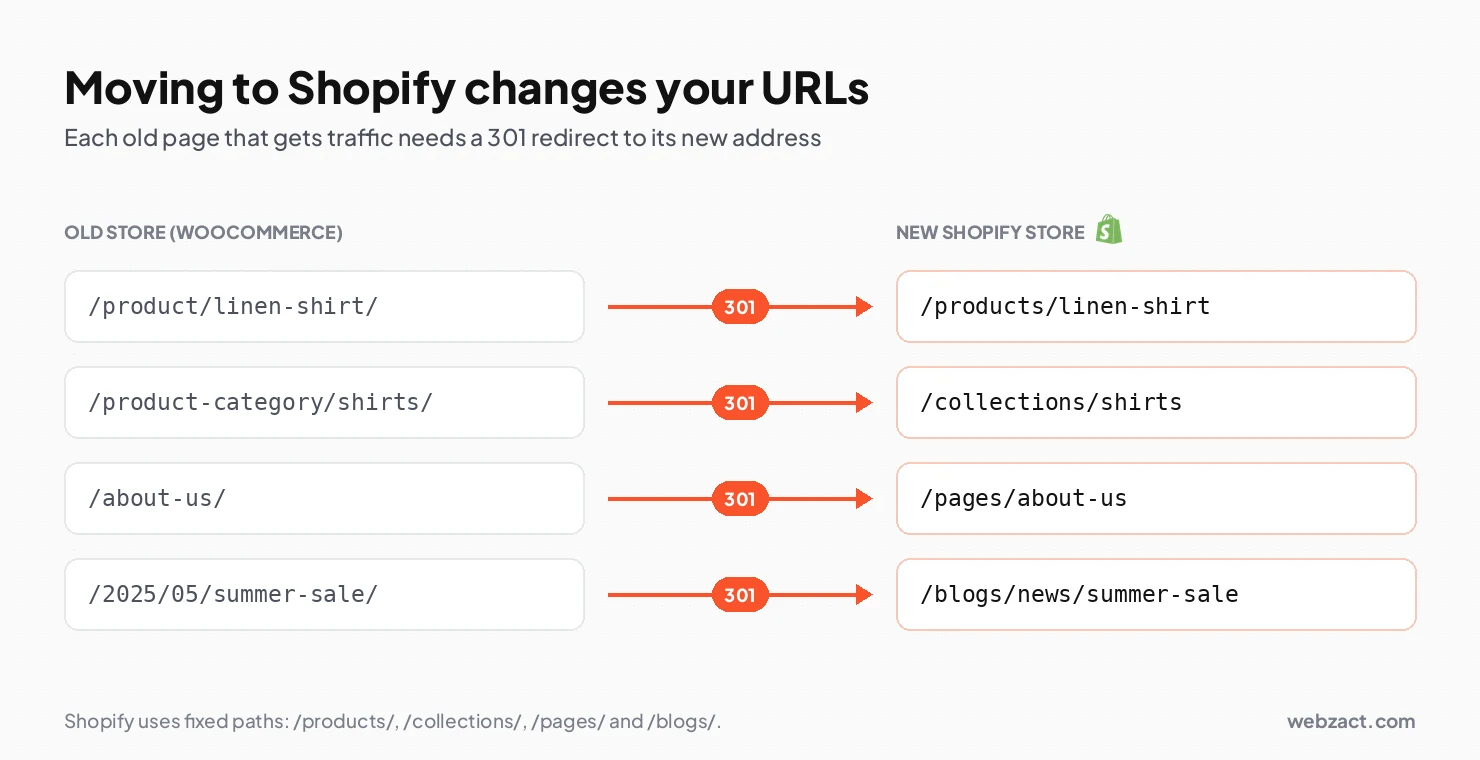
Moving from WooCommerce, Wix, Magento or BigCommerce has its own price. You pay for moving products, customers and order history.
You also pay for redirects. Shopify uses fixed URL patterns like /products/ and /collections/, so nearly every old link changes. Skip the redirects and you lose your Google rankings.
Shopify store management cost
After launch, stores still need work. New products, sale setups, landing pages, theme updates and speed checks.
This is normally sold as a set number of hours each month. It is the cheapest way to keep a store healthy, because small problems get caught early.
How Long Does It Take to Build a Shopify Store?
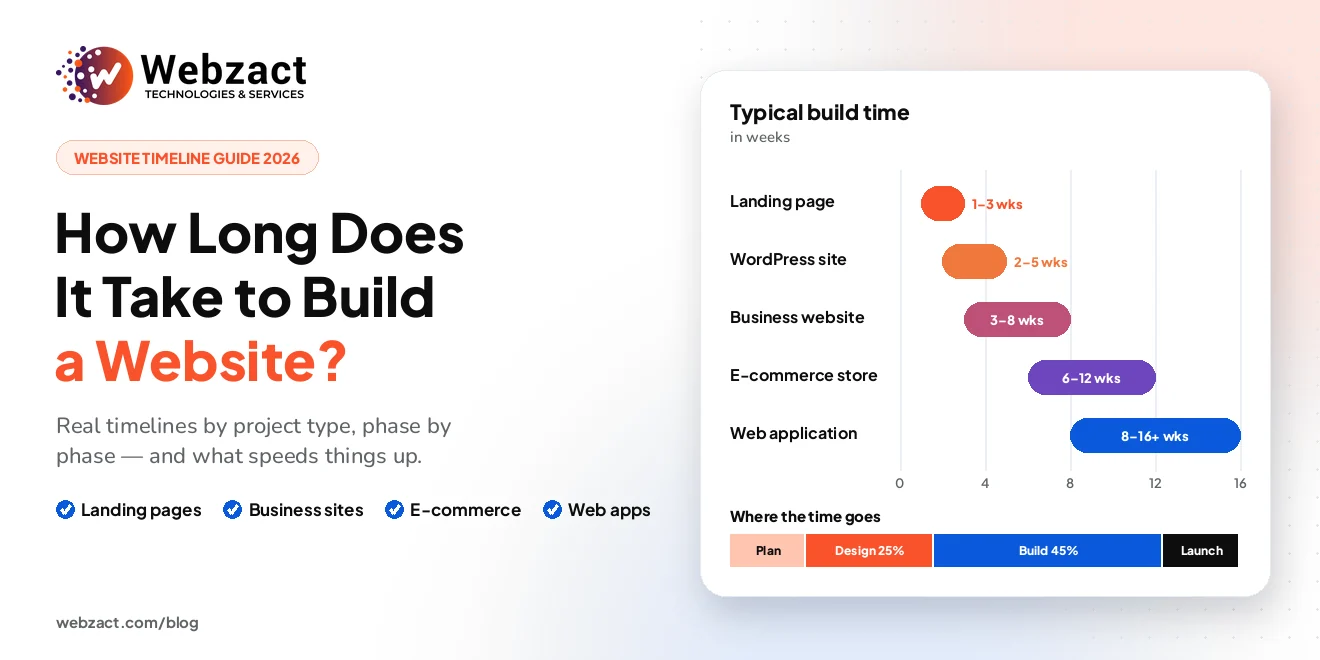
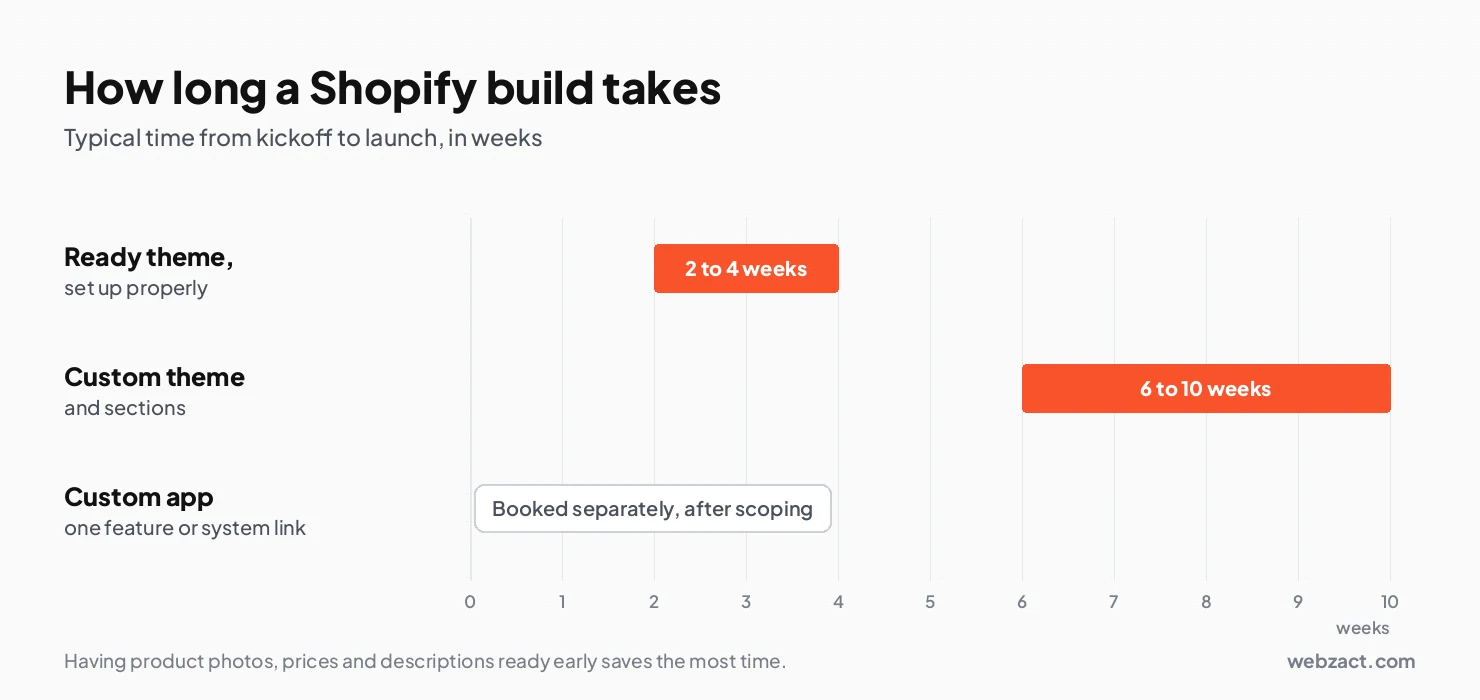
Two to four weeks on a ready theme. Six to ten weeks for a custom one.
| Build type | What you get | Typical time |
|---|---|---|
| Ready theme, set up properly | A clean store on a paid or free theme | 2 to 4 weeks |
| Custom theme and sections | A design built only for your brand | 6 to 10 weeks |
| Custom app | One extra feature or system link | Booked separately |
Product data is the real clock. Having photos, prices and descriptions ready before work starts saves more time than anything else.
On price, the Shopify store development cost for a store set up properly on a good paid theme is usually a modest four-figure amount in US dollars, or less. A custom theme costs more. Apps are quoted per feature, and your Shopify plan is always paid straight to Shopify.
If you want a number before you talk to anyone, the project cost estimator gives a range in about two minutes.
The Three Costs Most Budgets Miss
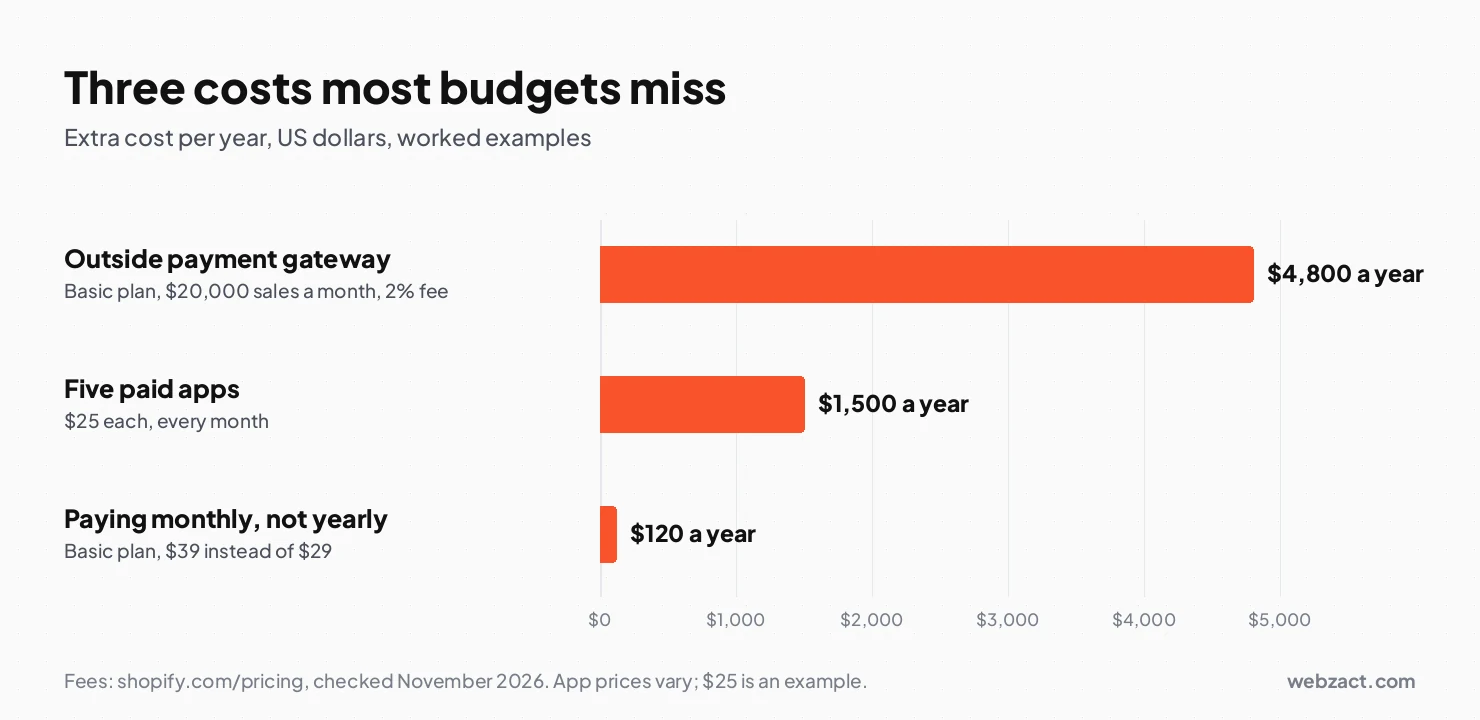
These three lines rarely appear in a quote. Over a year they often cost more than the build did.
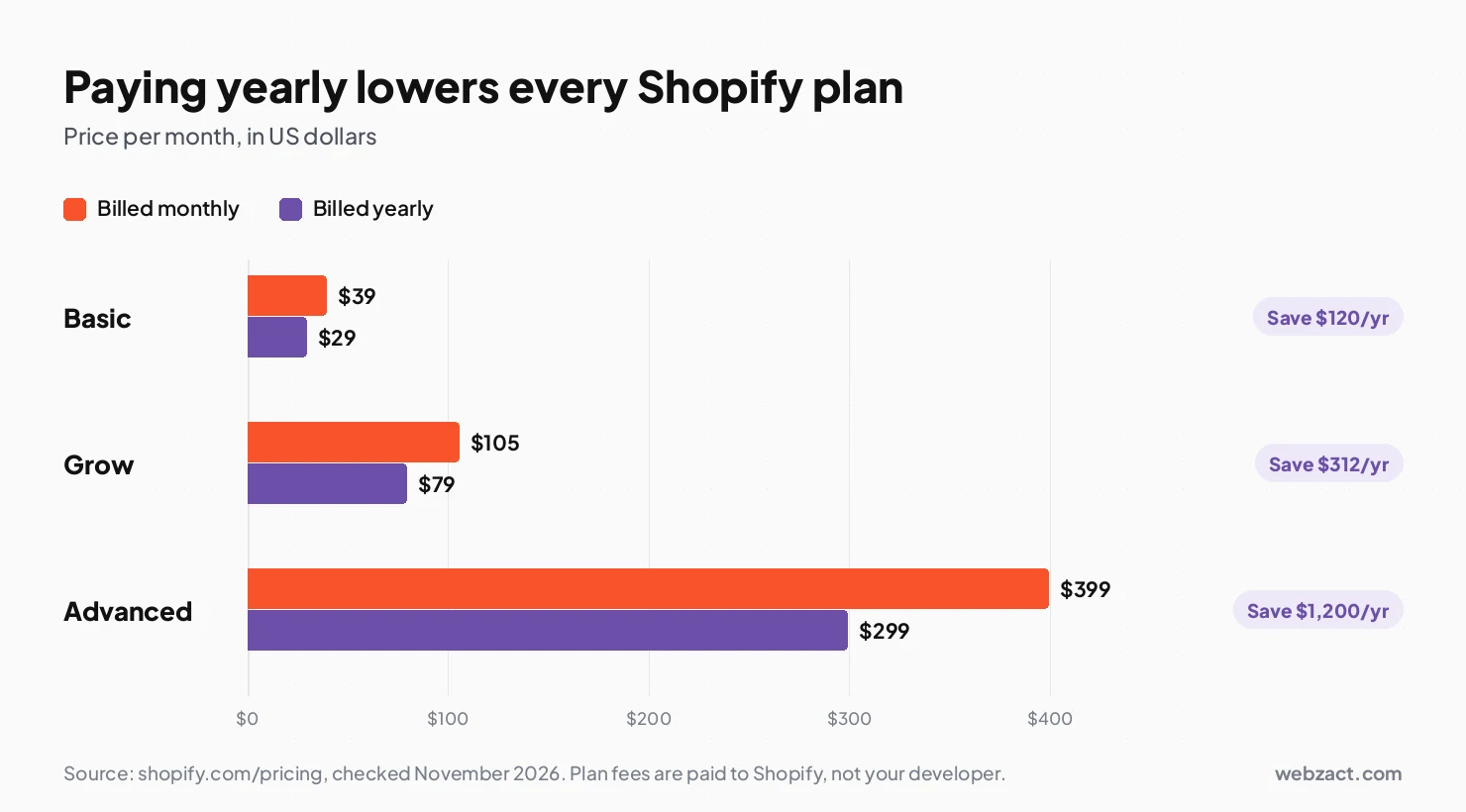
1. Paying monthly instead of yearly. Shopify charges less when you pay for the year. Basic drops from $39 to $29 a month, which saves $120 a year. Grow drops from $105 to $79, a saving of $312. Advanced drops from $399 to $299, so you keep $1,200.
2. Using an outside payment gateway. If you take payments through a provider other than Shopify Payments, Shopify adds a fee on top. On Basic that fee is 2% of the sale. On Grow it is 1%, on Advanced 0.6%, and on Plus 0.2%.
Run the numbers. A store selling $20,000 a month on Basic pays $400 a month in that one fee. That is $4,800 a year, on top of normal card charges.
3. App fees that stack up quietly. Apps look cheap one at a time. Five apps at $25 each is $125 a month, or $1,500 a year, every year.
This is why Webzact builds common features straight into the theme. A size guide built once has no monthly fee, and it does not slow your pages down.
Source: Shopify pricing, checked November 2026.
Why Is My Shopify Store Costing More Than Planned?
Five problems cause most budget overruns. Each one has a simple fix.
| Problem | Why it happens | What to do |
|---|---|---|
| The quote keeps growing | Features were agreed in chat, not in writing | Ask for one itemised quote with a line per feature |
| App bill rises every month | Each small need got its own app | Build the common ones into the theme instead |
| Store got slower after launch | Old app code stayed behind after uninstalling | Ask for an app clean-up and a speed check |
| Sales dropped after moving platform | Old URLs were not redirected | Add 301 redirects for every old page with traffic |
| Every small change needs a developer | The theme was hard-coded, not built in sections | Use a theme where sections are editable |
The cheapest of these to prevent is the last one. If your team can edit pages on their own, you stop paying for small jobs.
Is Shopify the Cheapest Option?
Not always, and it depends on what you sell.
- E-commerce website development compares Shopify with WooCommerce and custom builds, so you can check before you commit.
- WordPress development services suit shops where blogging and content bring in most of the traffic.
- Website redesign services fit stores that already sell well but look dated.
- SEO and digital marketing is the next spend once the store is live and needs visitors.
Shopify wins when you want a hosted store your team can run without managing servers. It is weaker when you need very complex pricing or deep links to in-house software.
Get a Fixed Price for Your Store
Your Shopify store development cost is only guesswork until someone looks at your products and your feature list.
Tell us what you sell and what the store has to do. Our Shopify store development team replies with a fixed, itemised quote, so you can see the price of each part before you say yes.
Frequently Asked Questions
How much does it cost to build a Shopify store?
It depends on how much custom work you need. A store set up properly on a paid theme is usually a modest four-figure amount in US dollars, or less. A custom theme and custom sections cost more, and apps are quoted per feature.
Can I build a Shopify store myself for free?
You can build it yourself, but it is not free. Shopify starts with a 3-day free trial, then most plans run at $1 a month for three months before normal pricing starts. You still pay for your plan, your domain and any paid apps.
Is a custom Shopify theme worth the extra money?
It is worth it when your products do not fit a template, or when small changes keep needing a developer. If a paid theme already does the job, buy the theme and spend the saving on photos and ads.
How much do Shopify apps cost each month?
It varies by app, and the total adds up fast. Five apps at $25 each comes to $1,500 a year. Many common features can be built into the theme once instead, with no monthly fee.
Does moving to Shopify hurt my Google rankings?
It can, if redirects are skipped. Shopify uses fixed URL patterns like /products/ and /collections/, so old links change. Set up a 301 redirect for every old page that has traffic or backlinks.
Do I need Shopify Plus?
Most stores do not. Plus starts at $2,300 a month and suits high-volume brands or shops that need a fully customisable checkout. Standard plans already cover themes, custom sections and most app work.