

On this page
You have a business to run, a launch date in mind and one simple question: how long does it take to build a website? Most answers online say "it depends" and stop there. That is true, but it does not help you plan.
This guide gives you real numbers. You will see typical timelines for each type of website, how the time splits across each phase, what slows projects down and what you can do to launch sooner. The figures come from the same delivery model our free website cost and timeline calculator uses, so you can check them against your own project in about two minutes.
The short answer
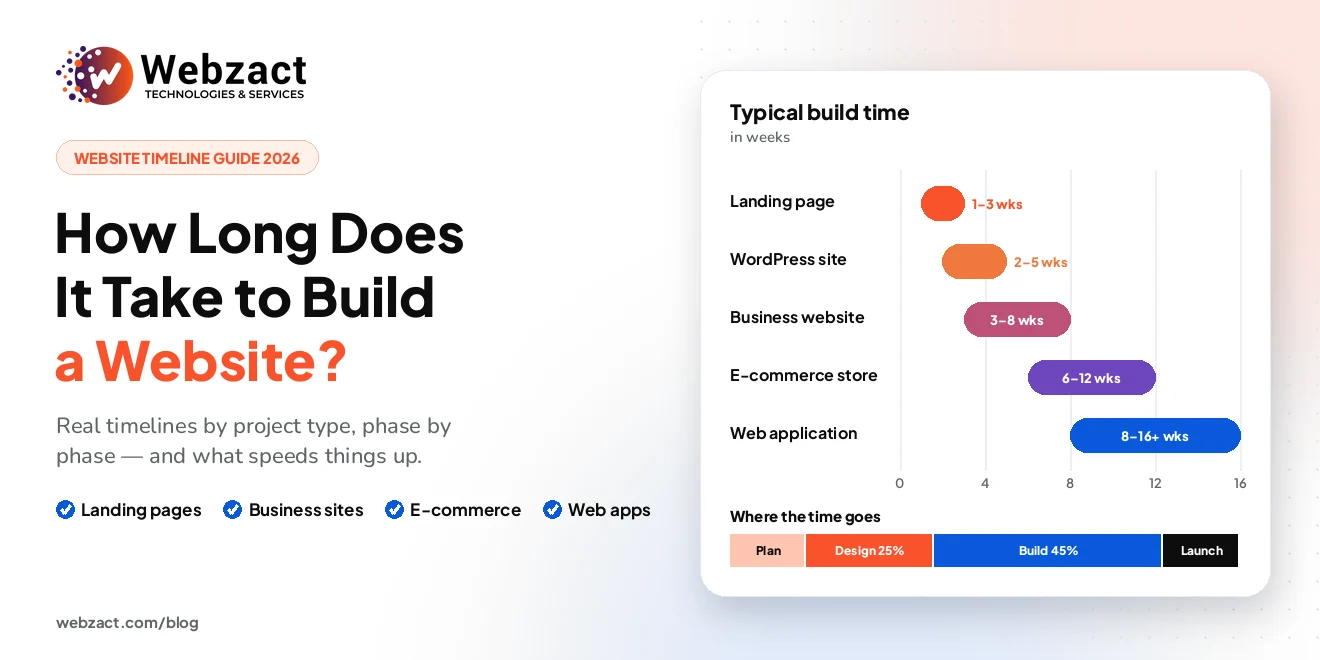
Most professionally built websites take between 2 and 16 weeks. Here is where most projects land:
- Landing page: 1–3 weeks
- Small business website (5–15 pages): 3–8 weeks
- E-commerce store: 6–12 weeks
- Custom web application: 8–16 weeks or more
Three things decide where your project falls in those ranges: how much of it is custom, how many other systems it connects to, and how quickly your content and feedback arrive. The rest of this guide explains each one in plain terms.
How long does it take to build a website? Timelines by project type
A "website" can mean a single page or a complete piece of software. So the first step is to be clear about what you are actually building.
| Project type | Typical timeline | What is usually included |
|---|---|---|
| Landing page | 1–3 weeks | One page, a clear offer and a contact or sign-up form |
| WordPress website | 2–5 weeks | A theme-based site your team can edit, with standard plugins |
| Small business website | 3–8 weeks | 5–15 pages, adapted or custom design, a CMS and contact forms |
| E-commerce store | 6–12 weeks | Product catalogue, cart, checkout, payments and shipping rules |
| Custom web application | 8–16+ weeks | User accounts, dashboards, business logic and integrations |
| Mobile app | 10–16+ weeks | An iOS and/or Android app, usually with a backend and admin panel |
These ranges assume a normal pace, with content and feedback arriving on time. A rushed schedule can shorten them and a flexible one usually stretches them — more on both below.
The website development timeline, phase by phase
Every website project moves through the same four phases, whether it takes three weeks or three months. Knowing them shows you where the time actually goes, and where delays like to hide.
1. Discovery and planning (about 15% of the time)
The team learns what the site must do and who it is for. Together you agree on the pages, features, integrations and launch date. You finish this phase with a sitemap and a written scope.
Watch out for: rushing this step. A day saved here often becomes a week lost later, when a missed requirement turns up halfway through the build.
2. Design (about 25%)
Designers create wireframes, then the visual design for the key pages on desktop and mobile. You review them and ask for changes. Good UI/UX design makes the site easy to use, which matters just as much as how it looks.
Watch out for: endless revision rounds. Agree on two or three rounds before design starts.
3. Build and integration (about 45%)
This is the longest phase. Developers turn the designs into working pages, set up the content management system (CMS) and connect anything else the site needs — payments, a CRM, a booking tool or email marketing.
Watch out for: late content. A developer can build a page without the final text, but they cannot finish it.
4. Testing and launch (about 15%)
The site is tested on different browsers and phones, every form is checked, page speed is tuned and the SEO basics are set up: page titles, meta descriptions, redirects and a sitemap. Then the site goes live.
Watch out for: treating launch as the finish line. Plan for a week or two of small fixes once real visitors start using the site.
A real example: a 10-page business website
Let us put numbers on one of the most common projects: a 10-page company website with a custom design and a CMS, so your team can edit pages without a developer.
- Baseline for a business website: 3–5 weeks
- 10 pages instead of a handful: +1 week
- Custom design instead of a template: +1 week
- A CMS your team can use: +1 week
That adds up to 6–8 weeks at a normal pace. Here is how that time breaks down:
| Phase | Time | What you have at the end |
|---|---|---|
| Discovery and planning | About 1 week | A sitemap, a feature list and an agreed scope |
| Design | About 2 weeks | Approved designs for desktop and mobile |
| Build and integration | 3–4 weeks | A working site on a private preview link |
| Testing and launch | About 1 week | A tested website, live on your domain |
The same project on a rushed schedule comes in at about 5–6 weeks. With a flexible deadline it is closer to 7–10 weeks.
7 things that make a website take longer
Two websites with the same number of pages can have very different timelines. These are the factors that make the difference.
1. Content that is not ready
This is the most common cause of delay by a wide margin. Writing page copy, gathering product details and choosing images always takes longer than people expect. If you are writing the content yourself, start on day one — not when the design is approved.
2. Custom design
Adapting a good template is quicker. A design created from scratch around your brand usually adds about a week to a small site, and more to a large one.
3. The number of unique page layouts
Page count matters less than you might think. Twenty pages built from one layout are faster than five pages that each work differently. What really adds time is the number of distinct layouts and features.
4. A content management system
If your team wants to update pages without calling a developer, the site needs a CMS that is set up, tested and explained. It adds around a week, and it saves you time and money for years after launch.
5. Integrations with other tools
Every connection to another system — a payment gateway, CRM, booking tool or accounting software — has to be built and tested, including what happens when that system is down. Each one adds days, and sometimes weeks.
6. More than one language
A second language adds about a week; three or more add two weeks or more. It is not just translation: menus, forms, emails and SEO settings all need a version for each language.
7. Slow feedback and too many decision-makers
When five people have to approve every design, each feedback round takes a week instead of a day. Choose one person with the final say, and agree on review deadlines at the start.
How long does it take to build an e-commerce website?
Most online stores take 6–12 weeks. A shop takes longer than a business website because it has more moving parts: products, stock, checkout, payments, shipping, taxes and customer emails.
These choices have the biggest effect on an e-commerce timeline:
- Platform: Shopify is usually the fastest to launch, often about a week quicker than WooCommerce. A fully custom store adds around three weeks, but gives you complete control.
- Number of products: under 50 products adds no real time. Hundreds or thousands of products add one to three weeks for importing, categories and filters.
- Payment methods: one payment gateway is standard. Offering several adds a week or two of setup and testing.
- Subscriptions and multiple currencies: each one adds roughly a week.
Planning your budget as well as your schedule? Our guide to how much a website costs in 2026 covers typical e-commerce prices.
Website builders, WordPress or custom code: does the platform matter?
Yes — but less than most people think. Here is how the common options compare:
- Wix, Squarespace and AI website builders can produce a simple site in a day or a weekend. That works for a personal page or a quick test of an idea. For a business website, though, the design is only part of the job. Content, SEO, speed and testing still take the same time.
- WordPress websites usually take 2–5 weeks with a professional team. You get a familiar editor and a huge choice of plugins.
- Shopify is the quickest route to a professional online store, because hosting, checkout and payments are already built in.
- Custom code, such as Laravel development, takes longer at the start. It makes sense when you need features that off-the-shelf platforms cannot handle well, like customer portals, complex booking systems or internal business tools.
Planning a mobile app alongside your website? Our guide on native vs cross-platform app development explains how that decision affects your timeline and budget.
How to build your website faster: 6 practical tips
- Prepare your content early. Have your page text, logo, photos and product details ready before design begins. This alone can save weeks.
- Choose one decision-maker. One person collects feedback from your team and gives the final answer.
- Share examples you like. Send two or three websites you admire and say what you like about each one. It shortens the design phase.
- Start from a template if speed matters most. A well-chosen template can cut a week or more from a small project.
- Launch in phases. Go live with the pages and features you need now, then add the rest later. This is often the best way to hit a fixed date.
- Agree on feedback deadlines. For example, two working days per review round. It keeps the whole website project timeline on track.
If you truly need the site sooner, most agencies offer expedited delivery. A larger team works in parallel, which can shorten the schedule by about a quarter. It usually costs around 25% more, because more people are needed to deliver the same amount of work.
Get a timeline for your own project in 2 minutes
Typical ranges are a useful starting point, but your project has its own details. That is why we built a free project cost calculator that answers the timeline question as well as the budget one.
Answer a few simple questions — what you are building, how many pages, template or custom design, which features you need and how soon you need it. You will instantly see:
- An estimated delivery time in weeks
- How that time splits across discovery, design, build and launch
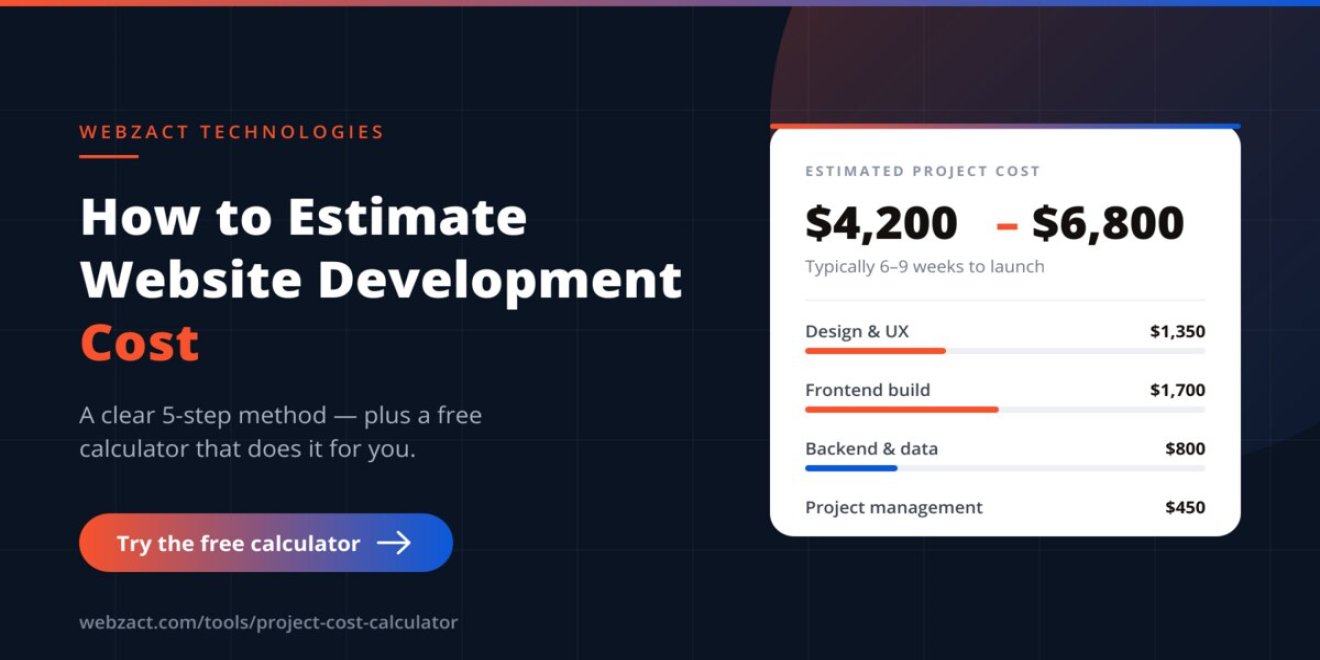
- A cost range, with design, development, integrations and project management as separate lines
There is no sign-up, and you do not need to enter your email to see the result. If you want to go deeper into the pricing side, read our step-by-step guide on how to estimate website development cost.
Frequently asked questions
How long does it take to build a website for a small business?
Most small business websites take 3–8 weeks. A simple site with a handful of pages built on a template can be ready in 3–4 weeks. A custom design, a CMS and one or two integrations usually take it to 6–8 weeks.
How long does it take to build a website from scratch?
Building from scratch — with a custom design and custom code instead of a template or website builder — usually takes 6–12 weeks for a business website and 2–4 months or more for a web application. The extra time goes into design and development work that a template would otherwise provide.
Can a website be built in one week?
A single landing page can be, if the content is ready and the design is simple. A complete business website in one week is rarely realistic without cutting corners on design, testing or SEO.
How many hours does it take to build a website?
As a rough guide, a landing page takes around 20–40 hours of work, a small business website around 80–200 hours, and an e-commerce store often 200 hours or more. Those hours are spread across several weeks, because design reviews, content and feedback all need time between work sessions.
What usually delays a website launch?
Late content is the most common cause, followed by slow feedback, new features added in the middle of the project and waiting on third parties — for example, a payment provider approving your account. A clear scope and a content plan prevent most of these delays.
How long does a website redesign take?
A redesign usually takes about as long as a new build of the same size — often 4–10 weeks for a business website. You save some planning time because the content already exists, but you add time for moving that content across and setting up redirects so you keep your search rankings.
Ready to plan your website?
The honest answer to "how long does it take to build a website?" is weeks, not days — and the exact number depends on decisions you can make today. Get your content moving early, keep feedback fast and be clear about what must be ready on launch day.
For a timeline built around your own project, try the free calculator. If you would rather talk it through, book a free 15-minute call and we will map out your website development timeline with you. You can also see how we run projects from discovery to launch on our website design and development services page.